See SolveRight in the classroom.
The screenshots below are from a real working environment, captured during normal student use. Student names and IDs shown are placeholders, but the work, indicator states, AI feedback, and dashboard behavior are authentic.
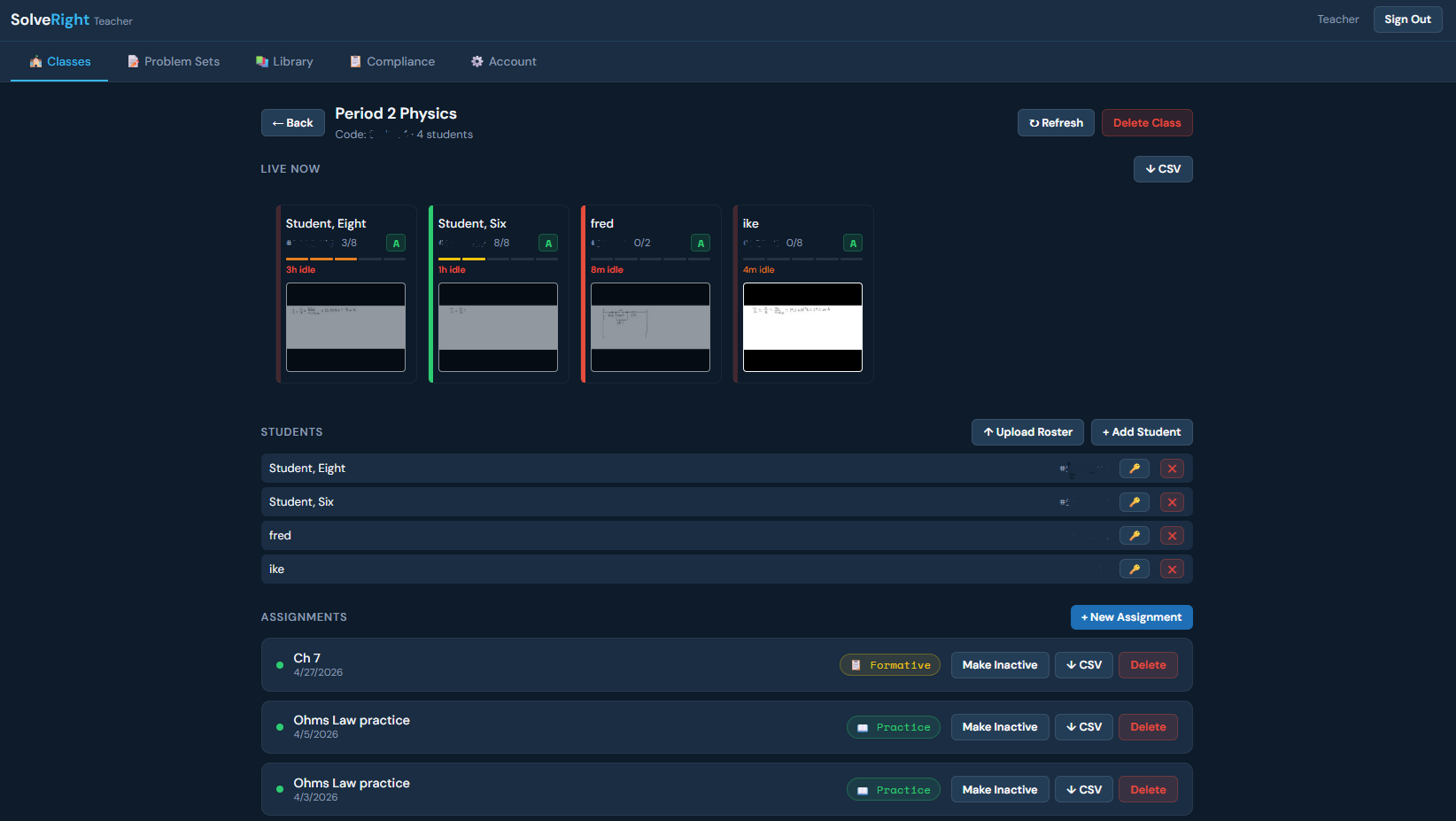
Every student's work, at a glance.
The class-level dashboard. Each student card shows their indicator state, nudge level, time on task, and — new in v6.1 — a live thumbnail of what they're currently writing on their canvas. The thumbnail refreshes every 12 seconds as students work. No more wondering whether a student is stuck, distracted, or making real progress. The teacher just looks.
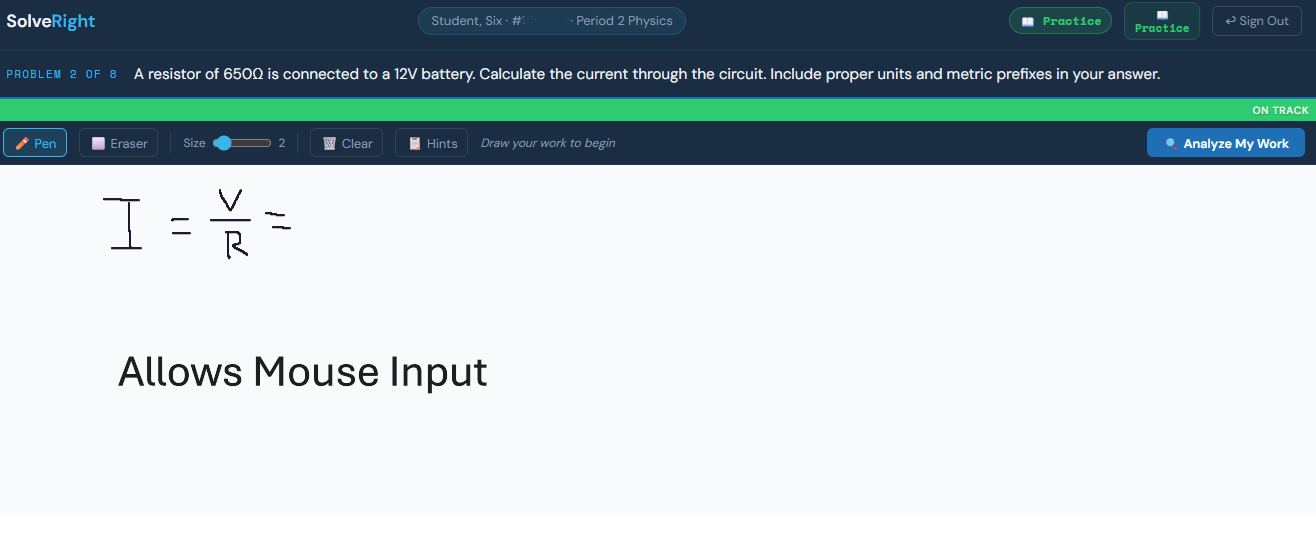
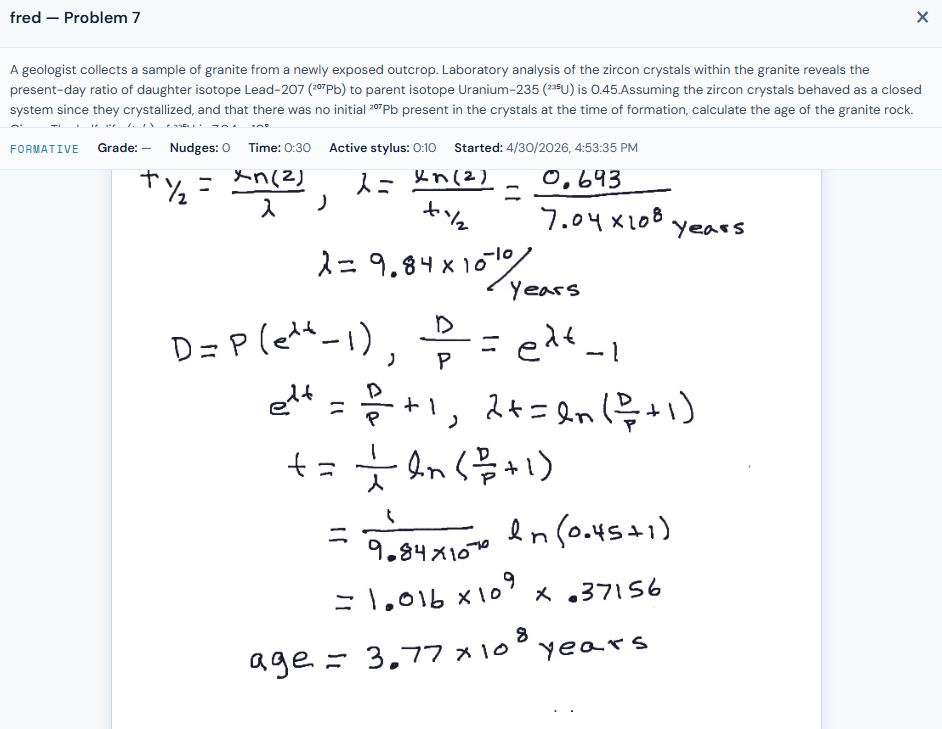
Real handwriting, real reasoning.
Students work on a stylus-friendly canvas alongside the problem. The colored bar at the top is the live indicator: green when the work is on track, orange for minor issues like missing units, red for a real problem. The Socratic system never gives the answer — it nudges the student to find it.
Five states, five signals.
The indicator bar uses a deliberately simple color language: blue for "still figuring it out," green for on-track, orange for fixable issues, red for real errors. Students develop intuition for it within minutes. It's not a grade — it's a real-time pulse on their reasoning.
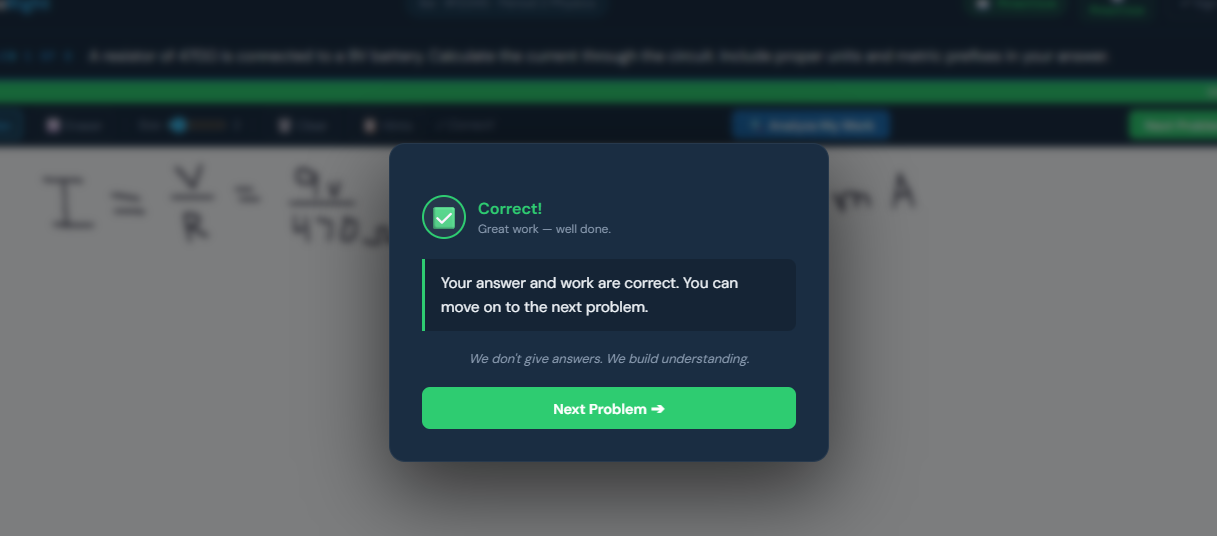
Nudges, not answers.
When a student clicks "Analyze My Work," they get a Socratic nudge — a question that helps them find what's wrong, not a fix. The system is calibrated to keep students in their zone of proximal development, working at the edge of what they can do.
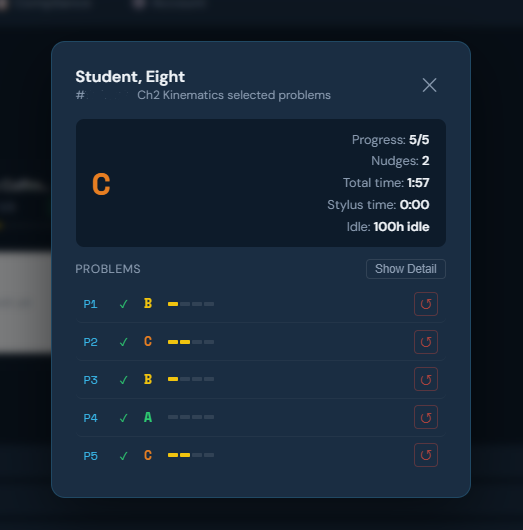
The journey, not just the destination.
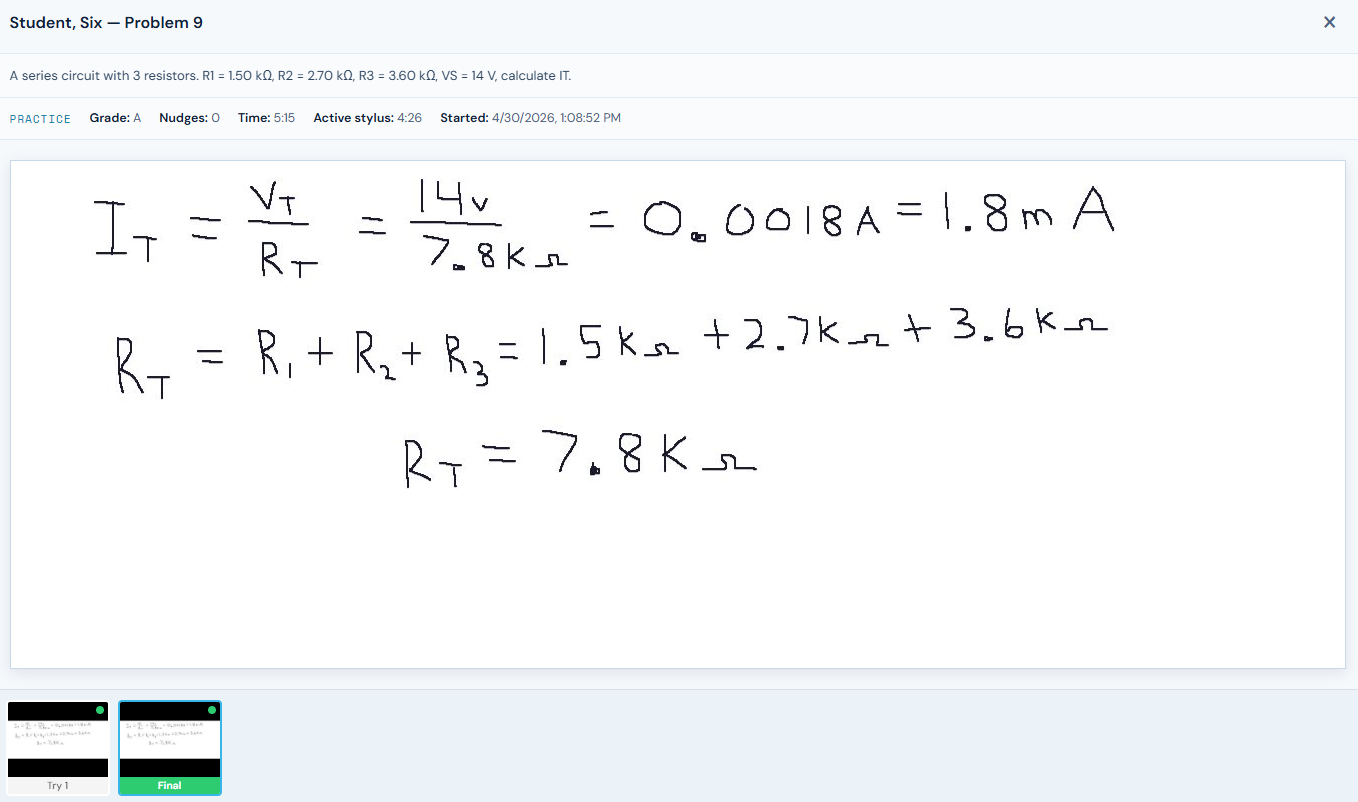
When the teacher clicks into a student, they see the full attempt history for the current assignment. Each "Analyze My Work" press captures a snapshot — so teachers can see a student's first attempt, second attempt, third, and final, along with the indicator state at each step. Understanding how a student got to the right answer matters more than just whether they did. New in v6.1: teachers can also reset any individual problem attempt — perfect for the student who hits "submit" by accident.
Your curriculum, your problems.
Teachers can author their own problems using a guided AI flow. The system handles the heavy lifting — formatting, signature computation for the indicator system, randomized values — while the teacher controls the pedagogy. No locked-in textbook, no waiting for an update.
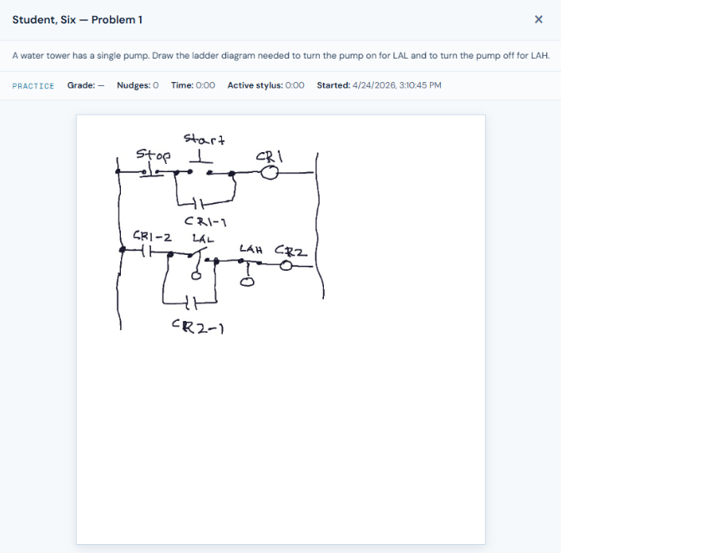
From algebra to kinematics.
Your problems your way, includes the ability for teachers to assign drawing problems.
Want to see it live?
SolveRight is in active classroom use. Pilots, partnerships, and live demos are open.
Request a Demo