Real-time formative assessment, finally possible.
SolveRight is a STEM assessment platform built by a working teacher, for working teachers. It shows you what your students are actually doing as they work, handles the grading and feedback that timely formative assessment usually makes impossible — and now turns that same work into learning-outcome attainment evidence your institution can use.
The most powerful teaching tool we have is the one we can least afford to use.
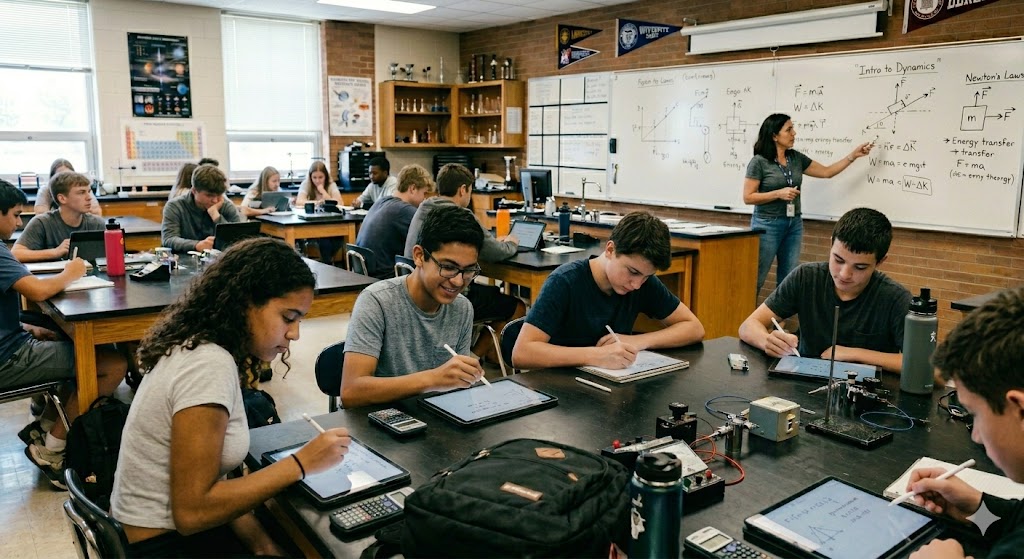
Formative assessment — the ongoing, in-the-moment understanding of where students actually are — is the most evidence-backed teaching practice in education research. It's also, in practice, the one teachers can least afford to use. A teacher with thirty students can't watch all thirty work problems at once. Can't grade short-answer responses by the next class period. Can't see at a glance who's stuck on the third step versus who never set up the first equation.
SolveRight was built to close that gap. It shows you what your students are doing as they're doing it. It grades calculation, multiple-choice, and short-answer work as it's submitted. It flags the students who need attention. It hands the time-consuming work to AI so you can do the work only a teacher can do.
SolveRight does not teach. Teachers teach. SolveRight makes the rest of teaching — the monitoring, the feedback, the grading — fast enough to actually use.
See every student's work, as it happens.
The teacher dashboard shows a live thumbnail of every student's handwritten canvas, refreshing in near real-time while they work. Combined with the indicator bar, teachers see both what the student is actually writing and what the AI thinks about their progress — at a glance, for the entire class. You don't have to wait until the end of class to find out who's struggling. You can see it now, walk over, and help.
What's happening, without hovering.
A two-pass Vision AI pipeline reads each student's canvas in real time and classifies their work into one of five states. Each problem is pre-analyzed once to produce a structured signature — the knowns, the relevant equations, the correct answer with units, and common intermediate values. Student work is then evaluated against that signature deterministically, which keeps grading consistent across students and fast enough to run live while they write. Colorblind-safe patterns and text labels make the system accessible to every educator.
The AI does the first pass. You do the judgment.
Calculation problems get graded as the student works, via a Socratic-nudge system that flags errors without giving away answers. Multiple-choice problems grade themselves. Short-answer responses are read by AI against your grading guidance and returned with a letter grade and a brief rationale — with the explicit expectation that you'll review and override anything that looks wrong.
Socratic Nudges, Not Answers. When a student makes a calculation error, SolveRight doesn't fix it. It points at the specific kind of error — a wrong unit, a missing factor, a misapplied formula — and asks the student to look again. Students stay in the productive struggle long enough for understanding to take root.
AI-Graded Short Answer with Teacher Override. Type a question, optionally write a one-paragraph grading rubric, and SolveRight handles the rest. The AI assigns A, B, or C with a written rationale. The teacher reviews it from the dashboard, with one-click override to A, B, C, or manual. The AI's original judgment is preserved; the teacher's decision is what stands.
Mastery-Based Per-Problem Grading. Each problem grades A, B, or C based on how many attempts it took the student to reach a correct answer — not just whether they eventually got there. A student who reaches a correct answer with no nudges gets A. With one or two nudges, B. Four nudges and the system advances them with a C and flags the topic as needing re-teaching.
Weighted Assignment Grades. Overall grades are computed using a pip-based formula that scales fairly across problem counts and types — so a five-problem assignment and a ten-problem assignment with the same level of struggle land at the same letter grade. Manually-graded problems are excluded from the auto-computed average and recorded separately for the teacher's gradebook.
Outcome evidence as a byproduct of teaching.
Every program has to demonstrate that students met its stated learning outcomes. In most institutions that means a scramble at the end of the term — collecting artifacts, norming a rubric, scoring a pile of work that was produced for some other purpose. It is real labor, it lands on faculty who already have a full load, and it arrives long after the information could have changed anything.
SolveRight already records how every student performed on every problem. Tag a problem with the outcome it evidences, and that record becomes an attainment report — built from work students already did, during instruction, with no separate assessment event.
The evidence is the student's own worked solution, evaluated against stated criteria, produced during regular instruction. No artifact collection. No scoring session. No new task for anyone.
| Outcome | Items | Assessed | Meeting | Percent | Result | |
|---|---|---|---|---|---|---|
| A | Define terminology relating to industrial applications | 4 | 48 | 39 | 81.2% | Met |
| B | Use appropriate measuring devices to analyze systems | 3 | 48 | 32 | 66.7% | Not met |
| C | Apply relationships of length, mass, and time | 6 | 48 | 34 | 70.8% | Met |
| D | Problem-solving applied to vectors, motion, mechanics | 5 | 48 | 24 | 50.0% | Not met |
| E | Matter, heat, and thermodynamics | 0 | — | — | — | Not yet assessed |
What it does not do. SolveRight reports what was observed. It does not certify that an outcome was attained — that judgment belongs to the instructor and the program. It produces course-level evidence, which contributes to a program-level picture without constituting one. And it does not write the analysis or the improvement narrative, which is faculty work and always will be. What it removes is the data-gathering burden, so there is time and attention left for the part that actually matters.
Not just the answer. The path to it.
A finished page of work tells you whether a student arrived. It tells you almost nothing about how — or where they nearly didn't. SolveRight captures the handwriting itself as timestamped pen strokes, so any completed problem can be replayed exactly as it was written.
The pauses are often the most informative part. A student who freezes for twenty seconds before writing the working equation has a different problem than one who sets it up instantly and fumbles the arithmetic. On paper, both get the same red mark. Both draw the same conclusion about themselves.
Cheating doesn't work by design.
SolveRight assumes students will try to copy answers, share screens, and use outside AI tools. The platform is built to make those shortcuts useless rather than to police them.
The right format for the right kind of question.
SolveRight supports four distinct problem types. Each is designed for a specific kind of learning task — and each integrates with the grading, dashboard, outcome-tagging, and integrity systems above.
Your problems, your curriculum.
SolveRight doesn't lock you into a fixed problem bank. Teachers author their own problem sets aligned with their curriculum, their textbook, and their pacing — with tools that make bringing in new content fast.
Batch problem input for drill. For skill drills — algebra rearrangements, unit conversions, factoring practice, anything that’s repeated application of one skill — paste a screenshot of a page of problems directly into a single problem. The AI reads the formulas with textbook-perfect formatting intact, checks every problem on the page as students work, and won’t let them advance until every answer is correct. Designed to promote mastery: one paste, one mastery gate, no per-problem authoring overhead.
One platform, three kinds of work.
Not every assignment is a test. SolveRight runs three distinct modes — each with different feedback, grading, and academic-integrity behavior — so you can use the right one for the right task.
The pedagogy is in the platform.
"The goal isn't to get the right answer faster. It's to understand why the right answer is right — and to be able to find it again, on your own, when no AI is watching."
SolveRight's pedagogy draws on the research that has underpinned good math teaching for decades: Black and Wiliam on formative assessment, Bloom on mastery learning, Vygotsky on scaffolding within the zone of proximal development, the worked-example effect from cognitive load theory, and Marzano's research-based instructional strategies. When a student makes an error, SolveRight doesn't fix it for them. It nudges. It asks. It points. The student does the thinking. The student earns the understanding.
AI does the work that scales poorly with class size — watching, reading, flagging, grading. The pedagogy stays where it belongs: in the hands of the teacher who knows the students, the content, and what they're trying to do.
The same principle governs how SolveRight reports. A number that flatters is worse than useless when a program is trying to find out what to fix. Reports state the scoring rule they applied, carry their own limitations, and show gaps in coverage rather than quietly closing them. The system's job is to make what happened visible. Deciding what it means is the teacher's.
Designed to fit your institution.
SolveRight was built from day one with school operating realities in mind — accessibility law, state AI regulations, student data security, roster integration, and the assessment reporting that program review and accreditation require.
Built by a working teacher.
SolveRight is built and operated by someone with decades of real teaching experience — a high school physics teacher, Project Lead The Way engineering instructor, and community college electrical technology and technical physics professor. Navy veteran. Eighteen years coordinating the MATE ROV Competition for the Texas region. NSF grant principal investigator. TEA curriculum work. Department chair at Alvin Community College. Former Treasurer of the Houston chapter of the Marine Technology Society. TRS recipient.
The platform exists because the problem — how do you actually use formative assessment when you have thirty students and one of you — was personally pressing and didn't have a good solution. Decisions get made by someone who's been in front of a classroom. Feature requests are evaluated against whether they make the teacher's day easier or harder. There's no growth-at-all-costs business model behind the platform.
Part of the Think Better Initiative.
SolveRight is part of a broader effort — the Think Better Initiative — built around a single conviction: that the best technology helps people sharpen their reasoning, not outsource it.
In an era when AI can answer almost any question instantly, the most valuable skill a student can develop is not the ability to get an answer, but the ability to think through the question. Every tool in the initiative is designed with that in mind — whether it's helping a student work through a physics problem, a citizen evaluate a news headline, or a professional stress-test their own assumptions.
SolveRight is the classroom expression of that mission.
Let's talk.
Pilots, partnerships, district demos, or just a question about how it works — reach out directly. Every email is read by the person who built the platform.
✉ TheDude@TechnologyDude.com